Pages

Feb 7, 2015

Student Created Anchor Charts: Compare and Contrast


Again this week, we worked on "Student Created Anchor Charts" during our "intervention time". This is when about 8 of the kids are out of the room getting reading and math intervention and I'm looking to challenge the kids that are left with projects and extra review of skills. This week I used my Reading Wonders leveled readers for the week and the skill for the week: Compare and Contrast.

Last week, we did a similar activity to practice Main Idea and Details.

First, students read the book with others in their reading group. The books are leveled, so this was a nice way to differentiate it very quickly.


Each group or set of partners then worked on creating a rough draft compare/contrast anchor chart on regular paper by using my anchor chart from a lesson earlier in the week as an example and reminder of how to compare and contrast.


We finished the reading and rough drafts on the first day of the project. Day two (which ended up being a few days later due to snow days!) was actually using those rough drafts to create the full size anchor chart with markers. The kids love this!


Feb 6, 2015

Fluency Roll and Read in Action

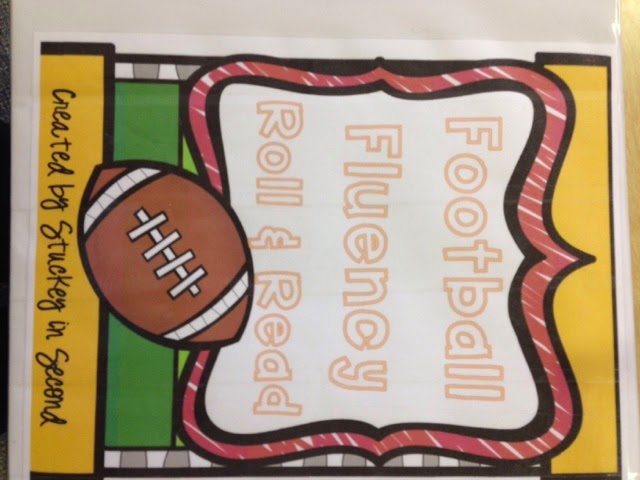
Here's a glimpse at my Fluency Roll & Read activities in action my classroom. I usually start my small reading groups with these as a warm up and fluency practice. I choose the level of fluency phrases based on the level of each group. This product is differentiated by level and this binder that I've created to put mine in is so easy to pull out and use for each group! I love it! This will last me for years! (Actually two binders: one with Snow Princess and one with Football!)


Feb 5, 2015

Throwback Thursday: Compare and Contrast

It's no secret, I love looking back at some of my first blog posts. This one is again from 2010. I haven't done this station in a long time and I don't know why! I want to get it back out! This is getting me motivated!!!

Check it out and this was before TPT...so the Scholastic book that I used as a resource for this is shown at the bottom!


October 30, 2010:


After struggling with finding different activities for literacy workstations, I have found this compare and contrast workstation to be a good one for my 2nd graders. They are engaged in the workstation and it is easily reused and changed out weekly for students.

I use short compare and contrast passages that are at a 2nd grade level. This is the book that I use:
I find this book to be useful because all of the passages are short and the same length. They are very concrete items and animals that are compared. Students seem to have an easy time filling in a Venn Diagram from the information given in the passage. However, they aren't too easy. Each passage contains similarities and differences. I always have students fill in a Venn Diagram before they answer the questions included with the passage. Also, students may highlight different parts of the passage to help them easily locate parts that they want to remember.
The workstation is kept a small basket with the passages in a clear sheet protector and Venn Diagrams are in clear sheet protectors as well. There are also dry erase markers and some paper toweling that is included in the basket for students. I find it important for all of the materials to be right there for students, so they don't have to go anywhere else to complete it.

1. Students are to choose a passage to work on and read it twice.
2. Then students may fill in the Venn Diagram, labeling it correctly.
3. Once the diagram is finished, they are then able to answer the questions by using the Venn Diagram to find the answers.
4. After checking their work, students are then able to have an adult (my assistant) check their work before they can erase it with a tissue and return it to the basket for another student to use.


This workstation can be easily changed each week by just taking out the passages that are included and putting in new ones. Also, I take the ones that are in the compare and contrast station and move them onto the "Main Idea Workstation" the following week (which I will post more about later!) That way, when students work on the passage in the Main Idea Workstation, it is a familiar read because they should have already read it in the Compare and Contrast Workstation. 

My students are able to explain what they are comparing and contrasting and how the things are alike and different easily because they are using his graphic organizer in a hands-on workstation situation.


Additional Resources:
FCRR Narrative Text Structure Activities Scroll through these great activities for some more compare and contrast ideas. There are some great graphic organizers and activities that include comparing and contrasting two narrative texts.


Feb 4, 2015

Snow Day Learning {Toddler Time}


Well, we recently had a five day weekend with our snow days. By day 5, I was ready to stop being lazy and have some fun learning time. TV off and time to learn. The girls had a blast. I have had a blast making these fun activities for my own kids! I know just what kids their age like and I love knowing that I can sit down and create something to help them learn! 


Counting strips. Kelsey counts the monsters, then matches the strip up to the correct number. She has been working on number recognition at school and she loved this! 


Here is how I organize my games. I laminate the envelope and paper together in one laminating pouch. (even an envelope with a metal clasp!) Then I use the top of scissors to carefully slice open the envelope, without going through all of the layers. This is how I store all of my games that I create in my classroom too! 


Lilly is LOVING puzzles lately. This is her favorite, she literally will do it 12 times in a row once she gets started. She loves it! I really think this is great for her brain! (Lilly just turned 2.)


Kelsey has her colors mastered, but she was trying to "teach" her little sister (2) with these "I Know My Colors" cards. They had fun sorting them and matching them. 


Here are some of the other preschool activities that I finished, laminated, and cut out for the girls! We are going to be having fun all winter!! 


Don't worry, I'm not always a teacher-mom, we did go outside and enjoy our snow day too! 


Feb 3, 2015

Teacher Tuesday: Orphan Train

I thought I'd share another of my favorite books that I read recently. Love, love, loved Orphan Train by Christina Baker Kline. Like I mentioned in my last post about a book that I read, I didn't know I liked these historical fiction type of books, but I loved it! 


I'm including the summary FROM AMAZON here!
From Amazon:

Orphan Train
 is a gripping story of friendship and second chances from Christina Baker Kline, author of Bird in Hand and The Way Life Should Be.
Penobscot Indian Molly Ayer is close to “aging out” out of the foster care system. A community service position helping an elderly woman clean out her home is the only thing keeping Molly out of juvie and worse...
As she helps Vivian sort through her possessions and memories, Molly learns that she and Vivian aren’t as different as they seem to be. A young Irish immigrant orphaned in New York City, Vivian was put on a train to the Midwest with hundreds of other children whose destinies would be determined by luck and chance.
Molly discovers that she has the power to help Vivian find answers to mysteries that have haunted her for her entire life – answers that will ultimately free them both.
Rich in detail and epic in scope, Orphan Train by Christina Baker Kline is a powerful novel of upheaval and resilience, of unexpected friendship, and of the secrets we carry that keep us from finding out who we are.


When I just looked up the description to include here, I noticed that Amazon has a pretty good price on it! Check it out below for your Kindle or "real book" version. :) Do yourself a favor, slow down, and read a book!


Feb 2, 2015

Math Monday: Math Stations and Rotations

I have honestly wanted to do math centers and small group math for years and just never found the time or resources. I think this is a horrible, stupid excuse now that I have started them and realized how AWESOME it is and how EASY it is! Why didn't I do this sooner!?

Well, for one thing, the past 7 years, I had a much shorter math block scheduled into my day. This year I have started at a new school and we have 80-90 minutes for math each day. At first, when I thought of how I had "always" taught math, I didn't know what I would do with all of this time!!

I kept telling myself, as I have for years, that I love how my reading block goes. Short whole group, then teaching the bulk/meat of my lesson in small groups and having the kids rotate through workstations.

Although I feel good about my rotations and groups, I know this is a work in progress and I plan to work on being more precise and differentiating even more. I'm just proud that I have it GOING!

I copied this rotation schedule from my teaching teammate, Michelle. Genius plan. I'll tell you why later. 

My four groups are lowest to highest math level. Group one is lowest/needs most help and Group 4 is the highest math level/most independent. 

This is the same rotation, everyday.

We use Envisions math. Although I'm not a huge fan, I use it for my whole group lesson usually. I start my math block with whole group teaching of the lesson. I try to limit this to 15-20 minutes. I used to teach the whole thing whole group...agh! Why!?

The rotations I use the baseline of 12 minutes per rotation, but sometimes if I get through my group fast or the kids are totally getting it, some groups go longer/shorter than others. Usually if one goes a little longer and needs more help, it works out that another group is really grasping it and the times always work out. I set a timer, but for the most part, I'm just having to go past it or stop it early. It's just a basic guideline.


Here are some reasons this works so well:

Group 4 is independent, so they start at the seat work and don't need much help from me. They get enough from the short whole group lesson that they can get right to work on the assignment. These would be the kids that during my LOOOONNNGGG whole group lesson in the past, they would be working ahead and bored. Now, they don't have to be bored, they can get what they need in 15-20 minutes, then get right to work without wasting any time. Sometimes it's only 10 min!

Group 1 needs the most help, so it's best to start with them, when I can give them the most time. I always figure that if I get to groups 1-3 and give them a lot of help and for some reason I can't get to group 4, then that's okay. But, that hasn't even happened yet! I have made it to every group, every day!

The other good thing about this is the order. After teacher table, they have "learned" even more from me, so they head to their seats to do the seat work that corresponds with today's lesson. Then after seat work is computers/ipads. SOOOOO, if need be, you can hold this over their head a little bit. If they mess around at seat work station, don't finish what they needed to, they don't go to the next station of computers, they just keep working. (It works!) This order is the same for everyone, even the highest group. They start at seat work, so again, if they mess around, they don't go to computers. 

As for the computers/iPad. We have four student laptops in our room. I utilize those four, plus my teacher laptop, plus my teacher iPad. From the beginning, for each group, I assigned who would be on each computer and laptop everyday. I have a trustworthy student in each group that always is on my laptop, and they sit near me on the floor while using it. (I have to code in for each kid, etc.) It works well! I like having them assigned to computers for some obvious reasons. SAVES TIME (isn't it all about saving time!?) and they aren't arguing over who gets to be on my laptop or my iPad. I chose at beginning who uses them, period. Argument over. :)


Math games on the left, Computers in middle, iPad on right
Teacher Table on bottom left, Envisions seat work top right, and Math Game choices bottom right


Some reasons that I LOVE my new math stations and my whole new way of teaching math:

I KNOW exactly what my kids know. I DID NOT KNOW that before. I may have thought I did, but I didn't. Honestly, I did not and I'm admitting it now. I realize now that I'm teaching like this! Now that I meet with 4-6 kids at a time, I know which kids can regroup, which kids are having trouble, which kids forget to regroup the tens place, which kids forget to add the third number, etc. Tons of details I can tell you, off the top of my head because they are right in my face working, not playing in their desks, staring out the window, copying their neighbor, or just trying to keep up with a smile on their face. They are right at this tiny table with me and I can see their wheels turning, I can see their mistakes and correct them instantly. I don't have to wonder who is paying attention, who is catching on, or be surprised later when someone totally bombs the test.

I also love it because it doesn't feel like I have to "use my voice" so much. I mean, I am talking just as long...but I'm not talking OVER other kids or having to use my LOUD teaching voice.

I love it because by the fourth group, I'm an expert at explaining how to do things and I can literally see the progress throughout the rotation of kids "catching on"!

I love it because I can SIT for the four groups. Lazy? Yes. Smart? Yes! It's just a more relaxing setting for me.

I also love it because I can look around the room and see 4-6 kids working at their seats, spread around the room, then I see 4-6 kids "plugged in" to laptops and ipads on MobyMax math, then another group playing fun math games together. Honestly, the room is QUIET!!! The only kids MAYBE talking are the ones playing math games and the ones right at my group. It's glorious!!! I'm honestly in love.

I should also add that after the rotations, I do also make time to give students a graded "Quick Check" at the end of the lesson, to check their understanding for the day. I use the quick checks that are included with Envisions, but I'm sure you have our own in place.

I will work on getting some better pictures of the process and have another post about my math stations!!!

Feb 1, 2015

Super Bowl Sunday Freebies


Good news! Some friends and I have come up with some football freebies for you! I want to thank you for following my blog and also celebrate how many times I have blogged so far in 2015!

Thank you!

Whether or not you are watching the big game today, and no matter who  you are cheering for, your students will love these FOOTBALL THEMED FREEBIES!

Please just do me a huge favor.
I know that you follow my Teachers Pay Teachers store (at least I hope you do, so you don't miss any of my goodies!) I also have a feeling that you might follow Abbie's Tales From the First Grade's TPT page since I mention her work a lot! 

Please be sure to FOLLOW everyone who has left freebies for you on my post today. They are all my personal friends and have just started out posting their amazing work on TPT. Please help them out by following their TPT stores and watching for all of the future products! After you download their freebies, just click FOLLOW on TPT. :) Thank you so much!


From Stuckey in Second:


From Tales From the First Grade by Abbie Jinnings:


From Fables from the Kitchen Table:


From Michelle Meyer:


From Hostler's Third Grade Thinkers: